Code Snippet
Weather
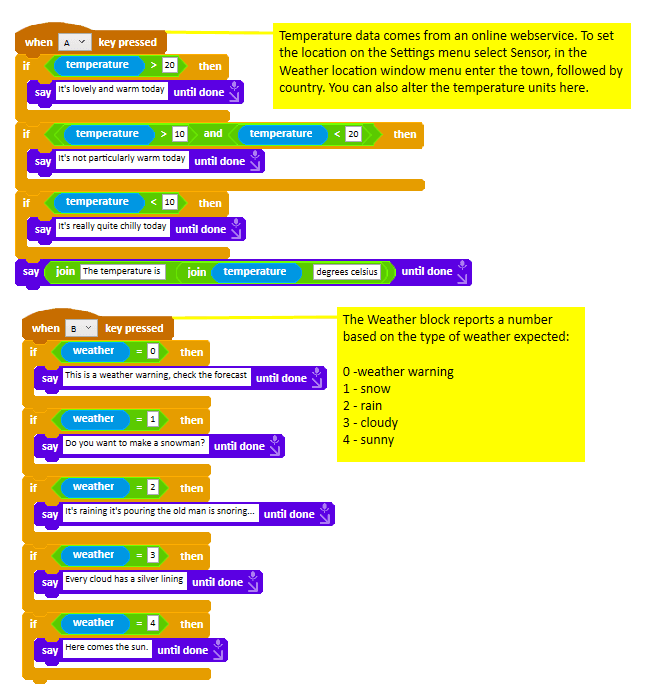
Make Ohbot report live temperature and weather conditions for a location.
About this snippet
Ohbot can access live temperature and generalised weather condition data for a specific location via the weather and temperature sensor blocks. It draws data from a website so will not work if the computer you are using is offline. To set the location go to the Settings menu and select Sensor. Enter the location as town [comma then space] country.
Download
- Click the download button below.
- In the Ohbot App, on the File menu select ‘Open Ohbiverse Download’.
- Find the downloaded file and click Open.