Code Snippet
Listen
Make Ohbot react to spoken words.
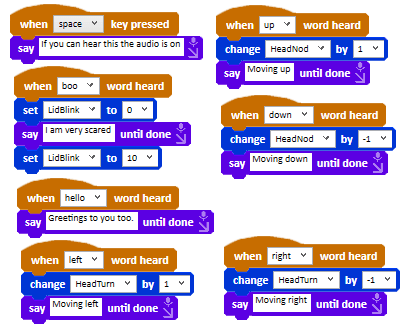
About this snippet
Ohbot is able to listen using a microphone. The when word heard event block is triggered when the word on the block is spoken into the microphone. The words Ohbot can understand can be set from the Sensing screen on the Settings menu. Using a smaller vocabulary of words makes Ohbot's speech recognition more accurate.
Download
- Click the download button below.
- In the Ohbot App, on the File menu select ‘Open Ohbiverse Download’.
- Find the downloaded file and click Open.