Code Snippet
Ask
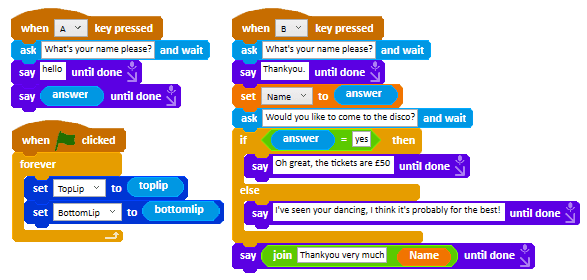
Ask a question and wait for a human to type an answer.
About this snippet
Ask and wait is a block that makes Ohbot ask a question then wait for a text response. Once one has been entered it moves to the next instruction block and the answer is available to use as a variable. Note: once another Ask and wait block has been run the value of the previous answer will be overwritten.
Go further
Change the speech text. Change the wait values and random range.
Download
- Click the download button below.
- In the Ohbot App, on the File menu select ‘Open Ohbiverse Download’.
- Find the downloaded file and click Open.