Picoh Puzzles
Computing puzzles to solve at home.
A small collection of computing puzzles designed to help you get started with programming Picoh. They are intended to be fun, but also help develop computational thinking skills and an understanding of key programming concepts.
How to download the puzzles
The puzzles run in the Picoh app as programs.
- In the Puzzles section below, click the Download Puzzle button for the puzzle you'd like to try.
- In the Picoh or Ohbot app, on the File menu click Open Ohbiverse Download.
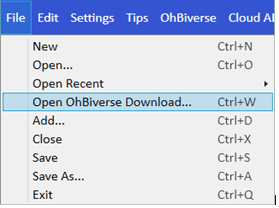
That's it! You are ready to puzzle.
To save your work on a puzzle select Save from the File menu. You can share your program with someone else by sending the saved file as an email attachment, or uploading it to a cloud storage space such as OneDrive, Google Drive or Dropbox.
Puzzles
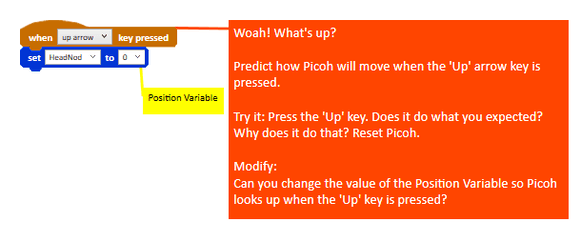
Modify the value of the Position Variable so Picoh looks up when the 'up' key is pressed.
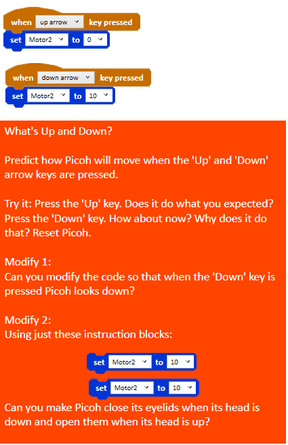
Make Picoh close its eyelids when its head is down and open them when its head is up.
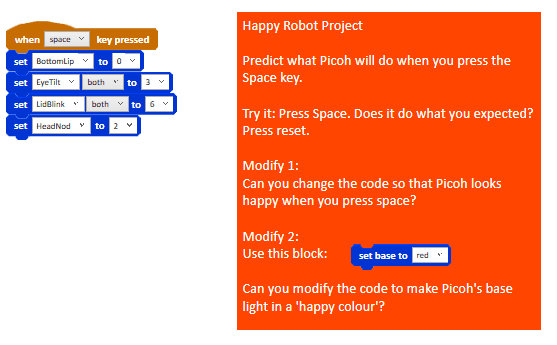
Can you change the code so that Picoh looks happy when you press the 'space' key?
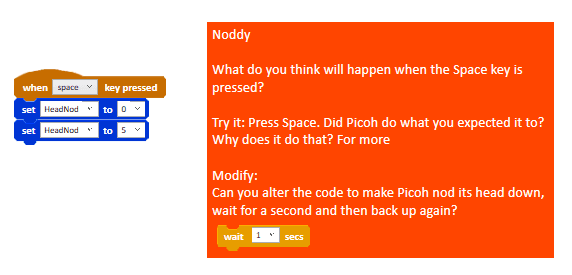
Alter the code to make Picoh nod its head down, wait for a second and then back up again.
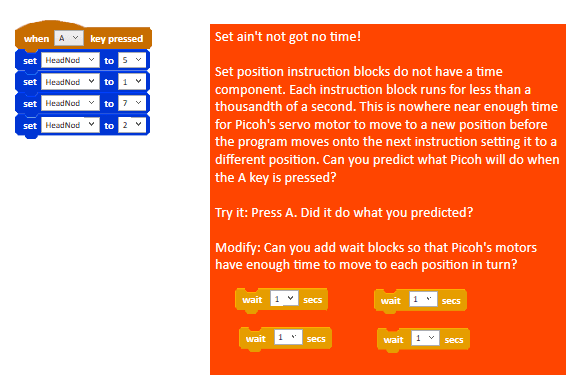
Add wait blocks so that Picoh's motors have enough time to move to each position in turn.
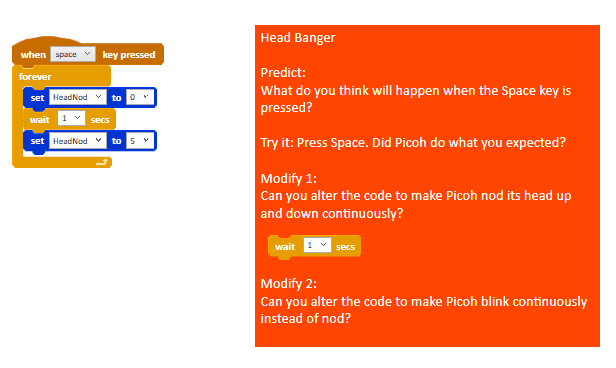
Alter the code to make Picoh nod its head up and down continuously.
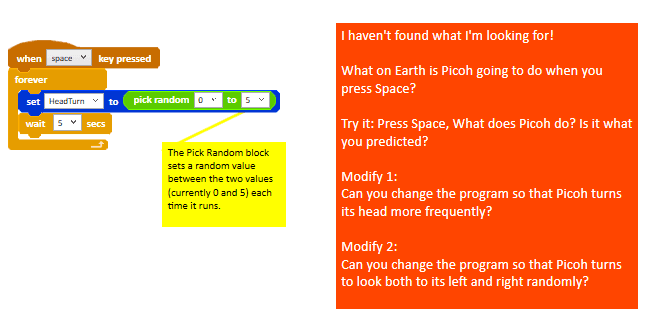
Change the program so that Picoh turns its head more frequently.
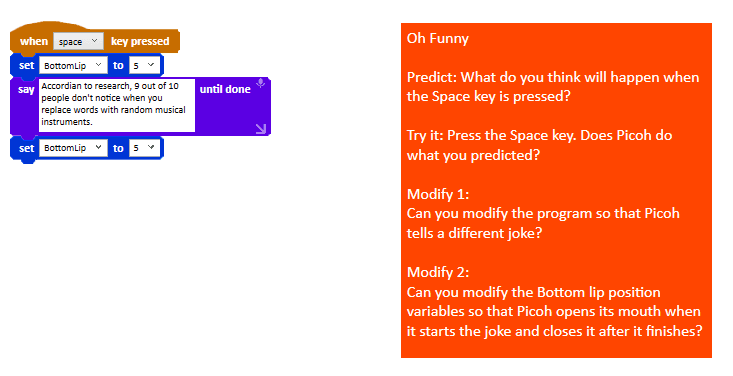
Modify the program so that Picoh tells a different joke. Modify the Bottom lip position variables so that Picoh opens its mouth before speaking and closes it after it finishes.
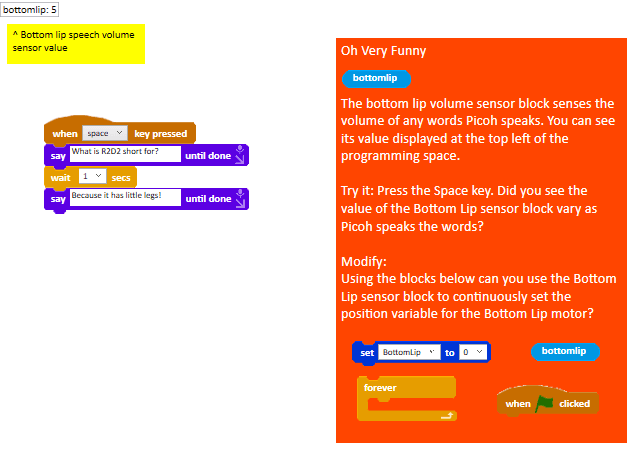
Use the Bottom Lip sensor block to continously set the position variable for the Bottom Lip motor.
Do the puzzles support learning?
The puzzles can be used to address elements of the English National Curriculum for Computing. Specifically they are designed to support the following aspects at KS2 (aged 7–11):
- design, write and debug programs that accomplish specific goals, including controlling or simulating physical systems
- solve problems by decomposing them into smaller parts
- use sequence, selection, and repetition in programs
- work with variables and various forms of input and output
- use logical reasoning to explain how some simple algorithms work, and to detect and correct errors in algorithms and programs
The puzzles run in the Picoh App. This is a block based programming environment in which children can create then run code and see how it affects a simulated robot head. Because each instruction appears as a block, children are able to focus on the logic of their program rather than getting bogged down in the syntax of text programming languages.
Programs can be saved so they can be shared with a teacher. They save as a single file that can be uploaded to a cloud service or sent via email.
Oh yes — and most importantly, we hope you have as much fun programming Picoh as we do.
The PRIMM approach
Each puzzle follows the PRIMM approach, a structured method for learning computer programming. Children start by learning to read programs and use logical reasoning to predict what they will do. Then they run and evaluate what the program does. Then they identify the aspects of code to change and make modifications to solve a problem or fix a bug. Finally they start writing programs of their own.
More about PRIMM