Learning Intention
- I can test and debug my programs
Introduction
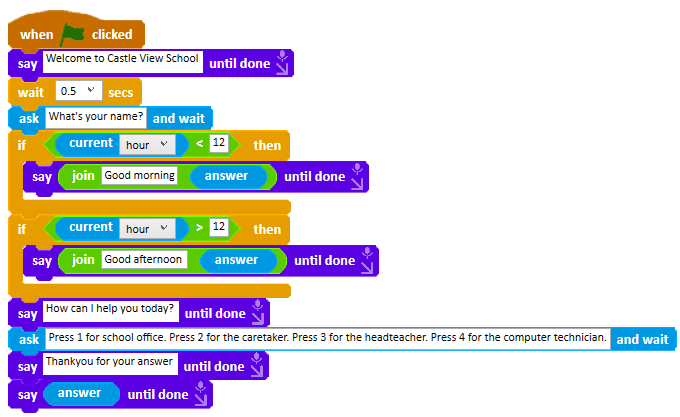
Start with the script below, taken from Lesson 5. Ask children to predict what the code will do when it runs. Focus on the last block and explain that it should say the caller's name.
Teacher Input
Ask children to observe what Ohbot does closely when the code runs. Run the script. What does Ohbot actually do? How is it different to what we want?
Model going through the code line by line. Ask children to explain line by line in pairs, describing what each block does.
Get children to work in pairs to come up with possible solutions to make Ohbot respond to the answer. Run children's code suggestions. Explain that they can adopt this approach to debugging their own code.
Activities
Children open up Ohbot projects they have written this term. Which work and which could be improved? Can they debug their programs to fix them?
Extension
Can children add extra code to their programs to improve them?
Plenary
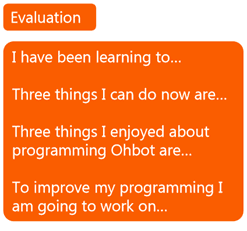
Evaluation of the Ohbot project. Children to complete the following feedback.
Key Points
- The `answer` variable only holds the most recent reply to an `ask and wait`.
- A later `ask` overwrites an earlier answer, so store it in a variable if you need it again.
- Predict, run, then compare what happened with what you intended.
- Read code line by line to isolate where the behaviour diverges.
- The same debugging approach works on any of your own projects.
Need Help?
If you're stuck on any part of this lesson, check out these resources: